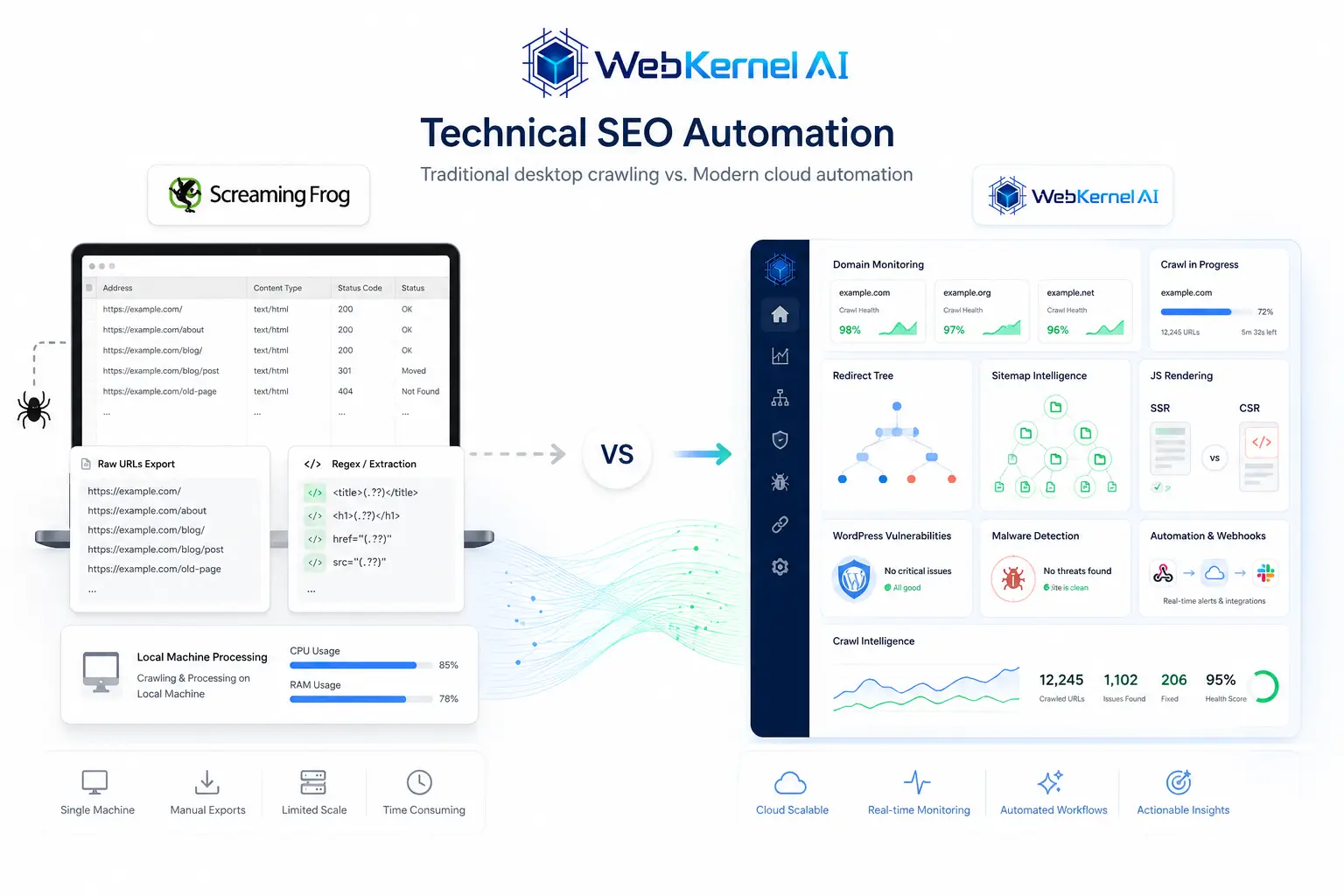
Forensic Local Crawling vs. Cloud Continuous Automation
Screaming Frog's power lies in its execution on the practitioner's physical workstation. Operating as a desktop software allows it to leverage massive RAM allocations to crawl millions of pages locally and perform detailed custom expressions. WebKernelAI shifts the technical execution layer entirely to serverless cloud infrastructure:
1. RAM-Heavy Workstations vs. Serverless Infrastructure
Executing JavaScript SEO audits for large sites on a local desktop forces CPU throttle-downs and exhausts device memory. WebKernelAI offloads the processing demands entirely to serverless clusters, parsing heavy React or Next.js DOM structures without slowing down local work environments.
2. Ad-hoc Spreadsheet Grids vs. Automated Scheduled Triggers
Screaming Frog works on an ad-hoc model; you load the app, execute the spider, and export files. WebKernelAI sets technical audits on a continuous, automated cycle. Hourly or daily crawls identify structural regressions or staging mishaps automatically and alert engineers via webhooks.
3. Raw Crawl Exports vs. Guided Technical Narratives
Exporting raw CSV grids with 200,000 rows can overwhelm non-technical developers. WebKernelAI's neural reporting translates database errors into prioritized code adjustments, bridging communication barriers between SEO audits and web developer deployments.
4. Structural Checks vs. Combined Security Verification
Broken canonical paths represent only half the indexation risk; script security, WordPress core CVE records, and background redirects represents the other half. WebKernelAI integrates both layers, auditing website code structures alongside technical SEO anomalies.