
Domain Management
WebKernelAI Academy Category: Setup & Verification
- Home
- Domain Management
How to Use Domain Management
Connect new websites, verify domain ownership via HTML tags or DNS TXT records, and configure workspace scopes.
Conceptual Overview
Before running crawlers or setting up uptime alerts, you must connect and verify your domain. This ensures that secure scanning resources are only utilized by authorized webmasters. WebKernelAI supports verification via dynamic HTML file uploads or simple DNS TXT record additions. Once verified, all audit and AI features are instantly unlocked.
Frequently Asked Questions
Q: How long does DNS verification take?
A: DNS TXT propagation usually completes within a few minutes, but can take up to 24 hours depending on your registrar.
Q: Can I verify subdomains separately?
A: Yes, subdomains can be tracked as distinct properties to isolate audit reporting.
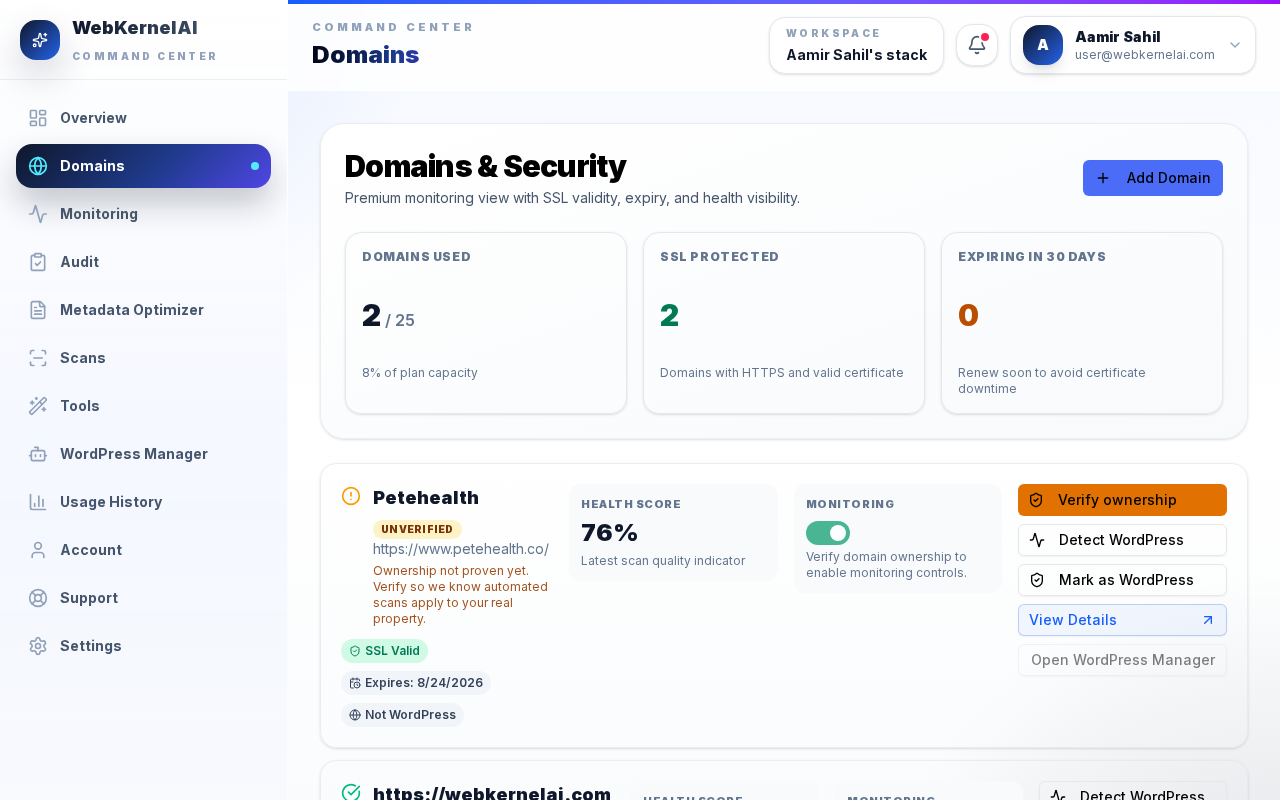
Domains Dashboard
Review your tracked domains list, verification statuses, and connection protocols.