
Dashboard Overview
WebKernelAI Academy Category: Console Basics
- Home
- Dashboard Overview
How to Use Dashboard Overview
Master your Technical SEO cockpit. Monitor consolidated metrics for domain health, crawler performance, security threats, and credits.
Conceptual Overview
The WebKernelAI Command Center acts as your technical growth cockpit. Here, you'll see a consolidated summary of all connected properties. Key widgets show your overall SEO health score, active uptime alerts, prompt limits, and quick-action triggers. Keep an eye on the health history sparklines to spot performance regressions or sudden security alerts across your portfolio.
Frequently Asked Questions
Q: How is the Health Score calculated?
A: It is a weighted average of your performance speed, security indicators, and technical SEO crawl results.
Q: Can I customize the dashboard widgets?
A: Yes, dashboard layouts are fully responsive and prioritize active issues requiring immediate fix.
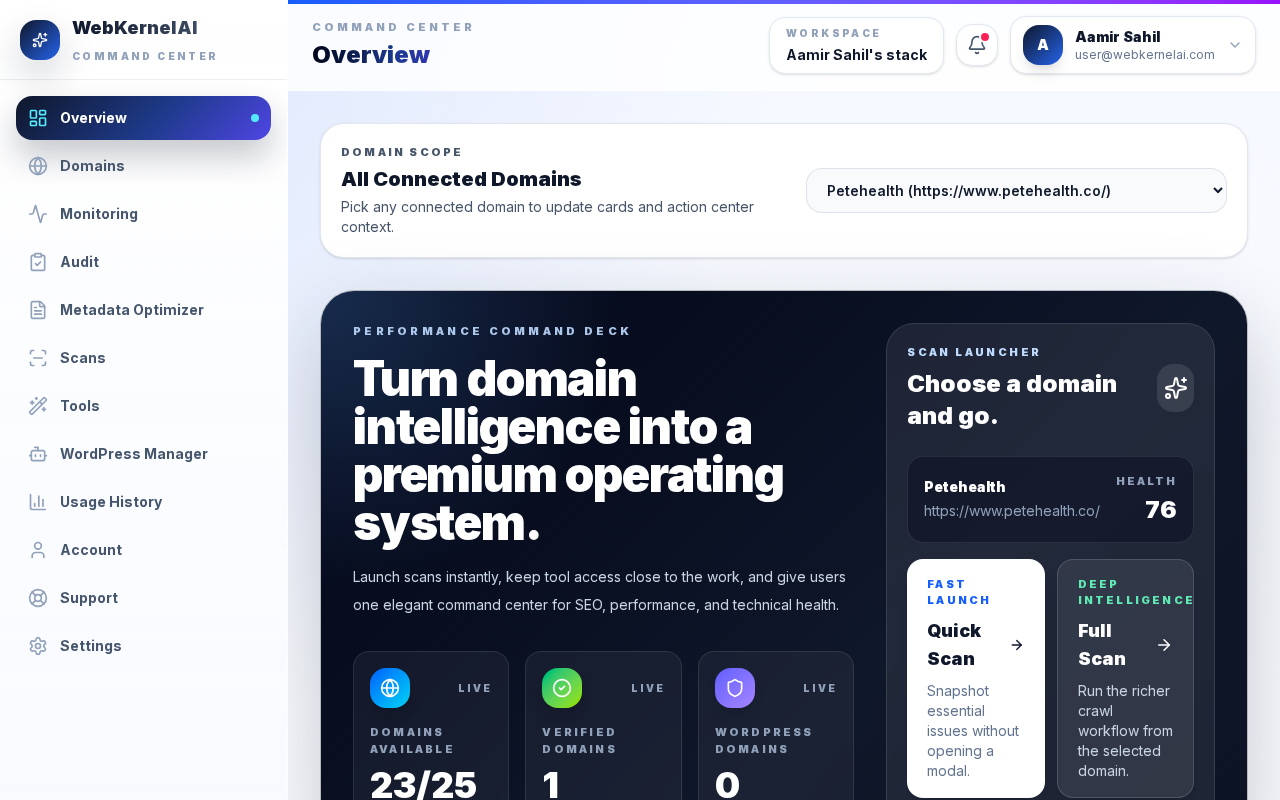
Command Center Cockpit
See the health, speed, and security grades of all your websites grouped in a unified view.