
White Label Branding
WebKernelAI Academy Category: Custom Branding
- Home
- White Label Branding
How to Use White Label Branding
Set your company name, logo, colors, and report copy so client-facing pages feel like your own product.
Conceptual Overview
White labeling allows you to customize the WebKernelAI dashboard and client-facing reports to match your agency's branding. Set your custom company name, logo URL, Primary and Accent brand colors, report headers, and footer details. This ensures all report outputs and dashboards look like your custom product.
Frequently Asked Questions
Q: Who has access to White Label settings?
A: White label configuration is unlocked for PRO and Enterprise plans.
Q: Can I hide WebKernelAI branding completely?
A: Yes, you can toggle the Hide WebKernelAI branding checkbox to remove reference links.
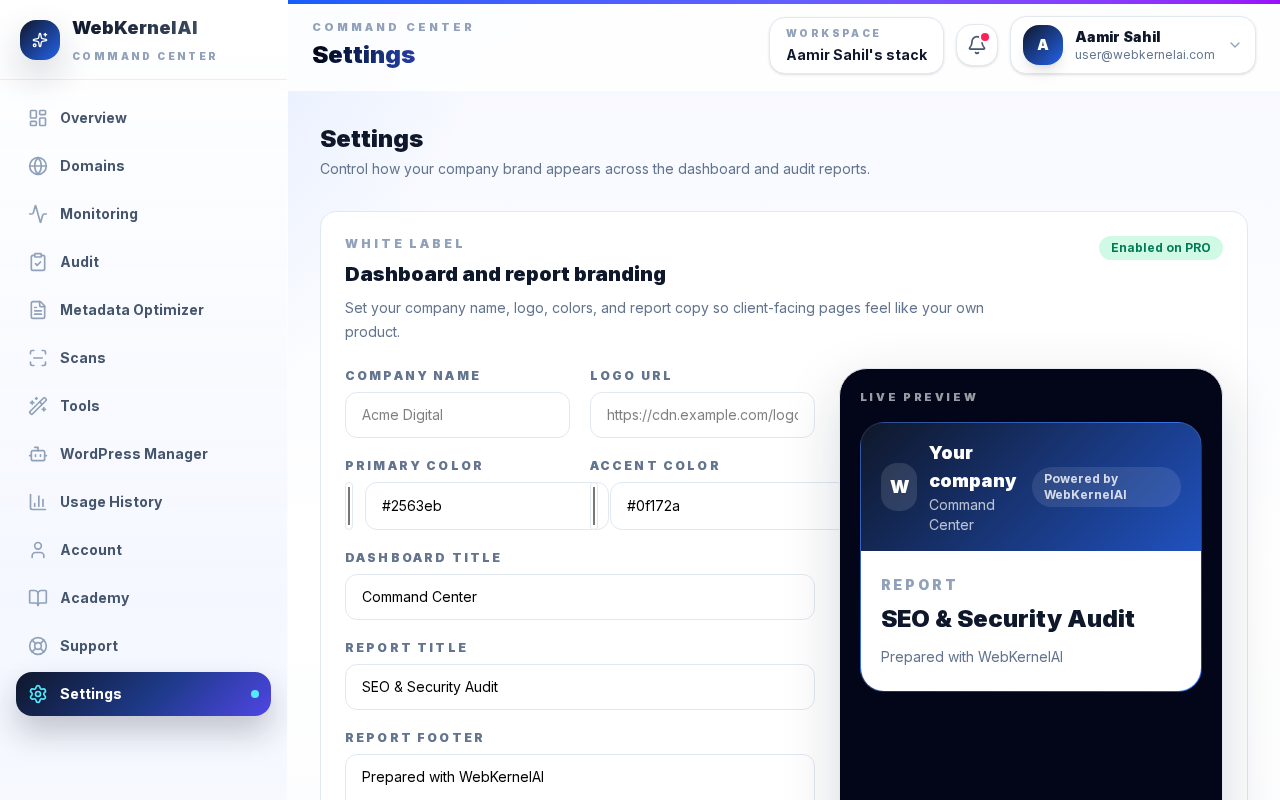
Branding Settings
Navigate to Settings. Configure company name, logo URL, and primary/accent brand colors.